Nimble Station Lets People Buy, Sell, and Store Through a Network of Smart Lockers
A two-sided marketplace built around smart lockers, where buyers and sellers complete a transaction without ever meeting.
The Challenge
Selling something used usually means messaging back and forth to land on a time, driving across town, and waiting in a parking lot for someone who might not show up.
A buyer without a flexible schedule gets left out of the exchange entirely. Shipping solves part of the problem, but a thirty dollar lamp doesn’t justify a box, packing tape, and a trip to the post office. Nimble Station set out to replace that whole exchange with a Station, a bank of smart lockers where a seller drops an item off on their own time and a buyer picks it up on theirs.
The Solution
Flywheel built Nimble Station as a two-sided marketplace app for iOS and Android, backed by a web admin panel for running the network behind it.
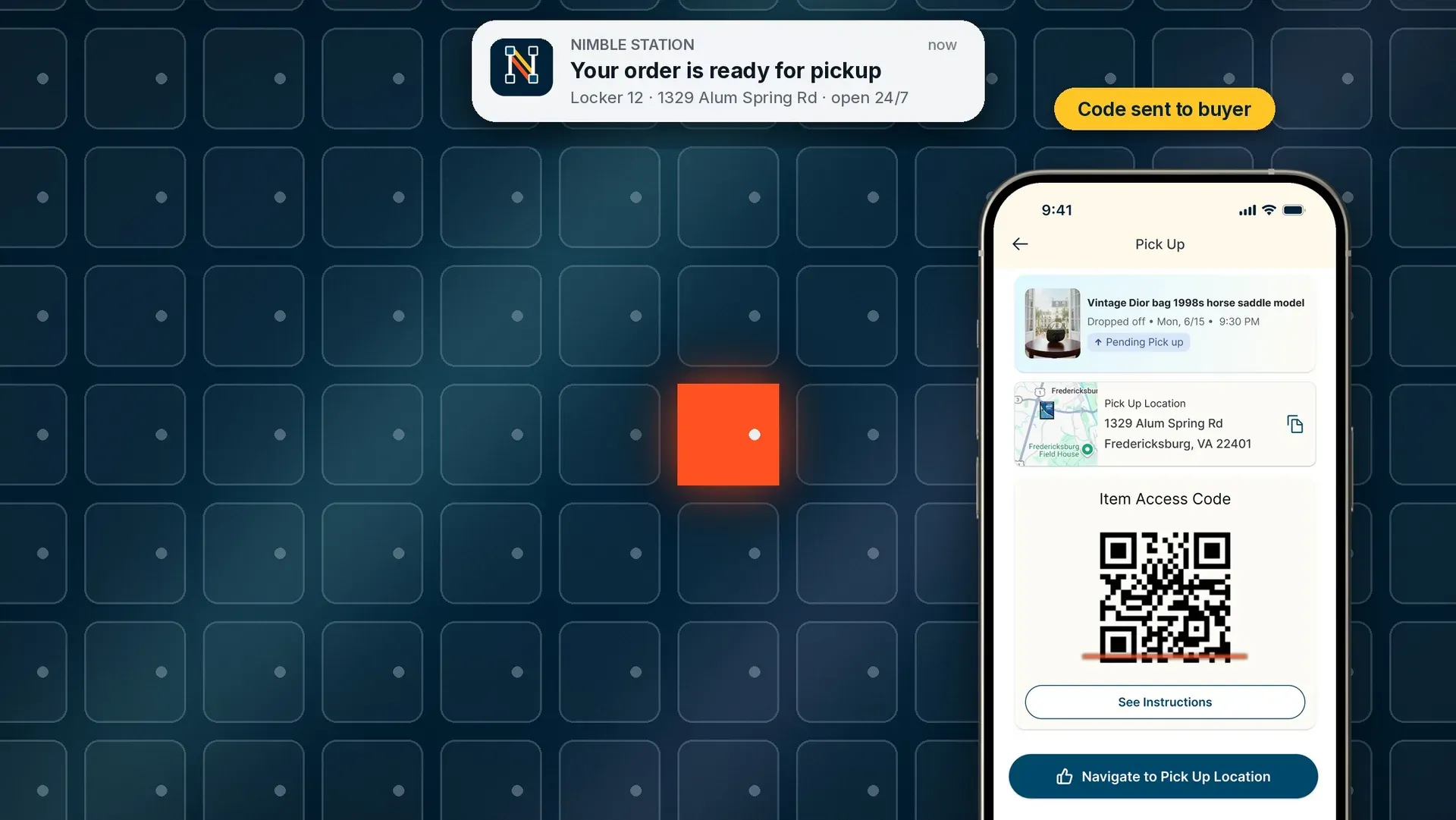
A seller lists an item, drops it into a locker at a nearby Station, and the buyer retrieves it with a code tied to that specific transaction. Every locker connects to a live network run by a third-party smart locker provider, so availability, access codes, and drop-off confirmation happen through that integration instead of through someone checking manually.
Buying and selling without meeting up
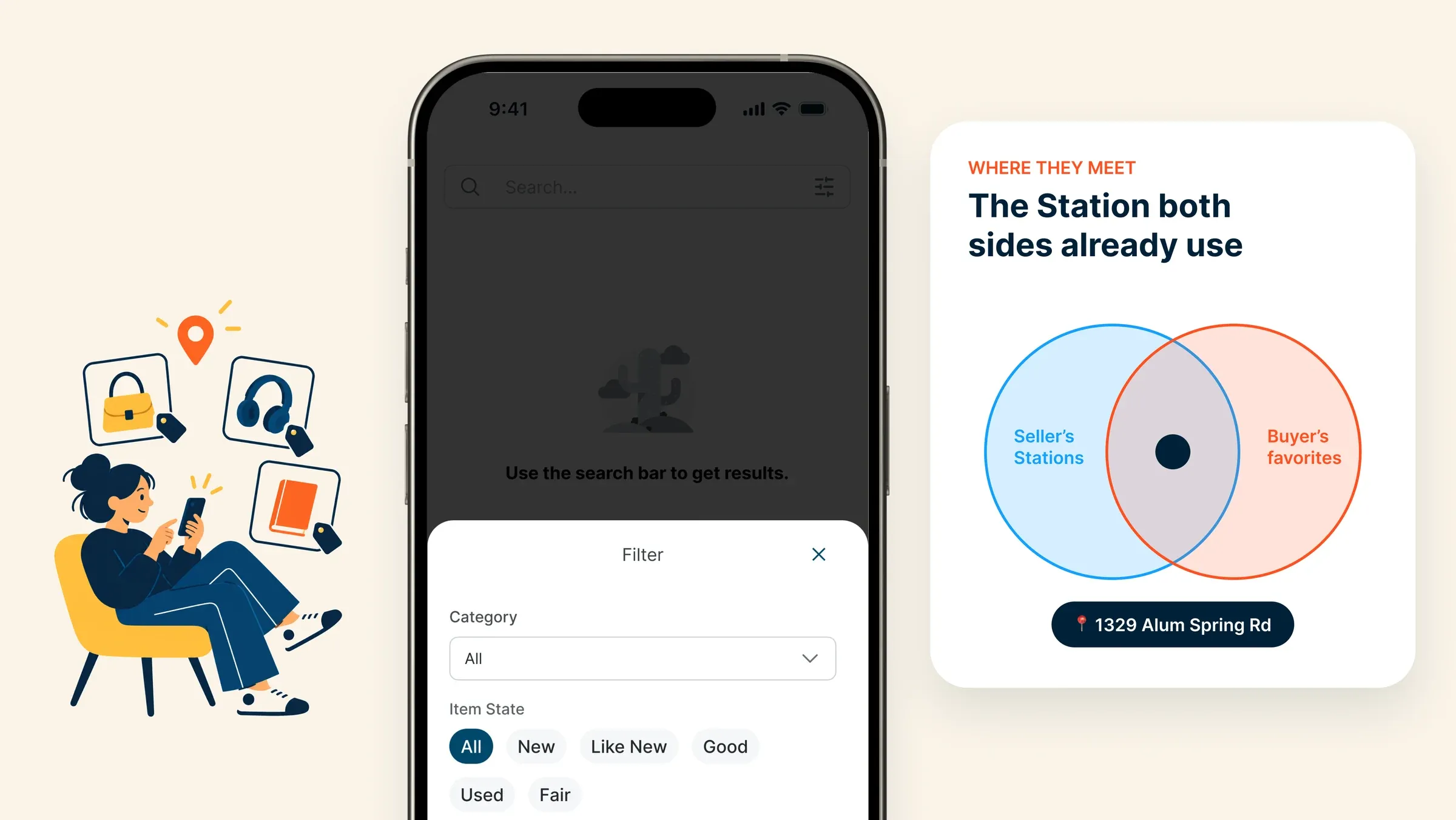
A seller publishes a listing with photos and a description, and a buyer finds it through search and filters. Each seller has a public profile with a storefront, their listing history, and reviews from past buyers. At checkout, the Station gets chosen from the overlap between the locations the seller already uses and the ones the buyer prefers, so neither side ends up driving somewhere inconvenient.
Checkout with optional Buyer Protection
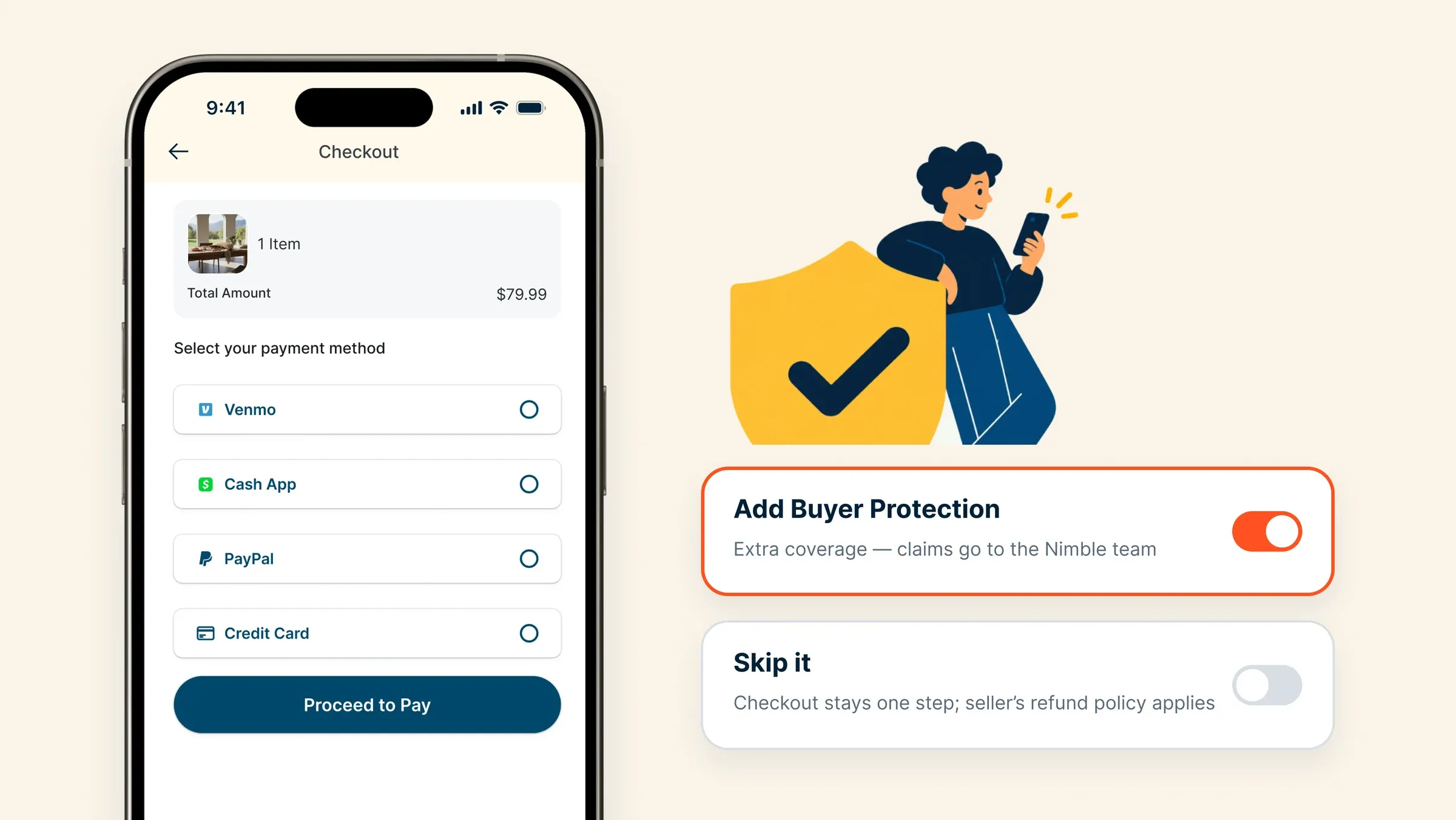
A buyer can add Buyer Protection during checkout for extra coverage on the purchase. That choice determines what happens later if something goes wrong with the item. It also keeps checkout simple for buyers who don’t want the extra step.
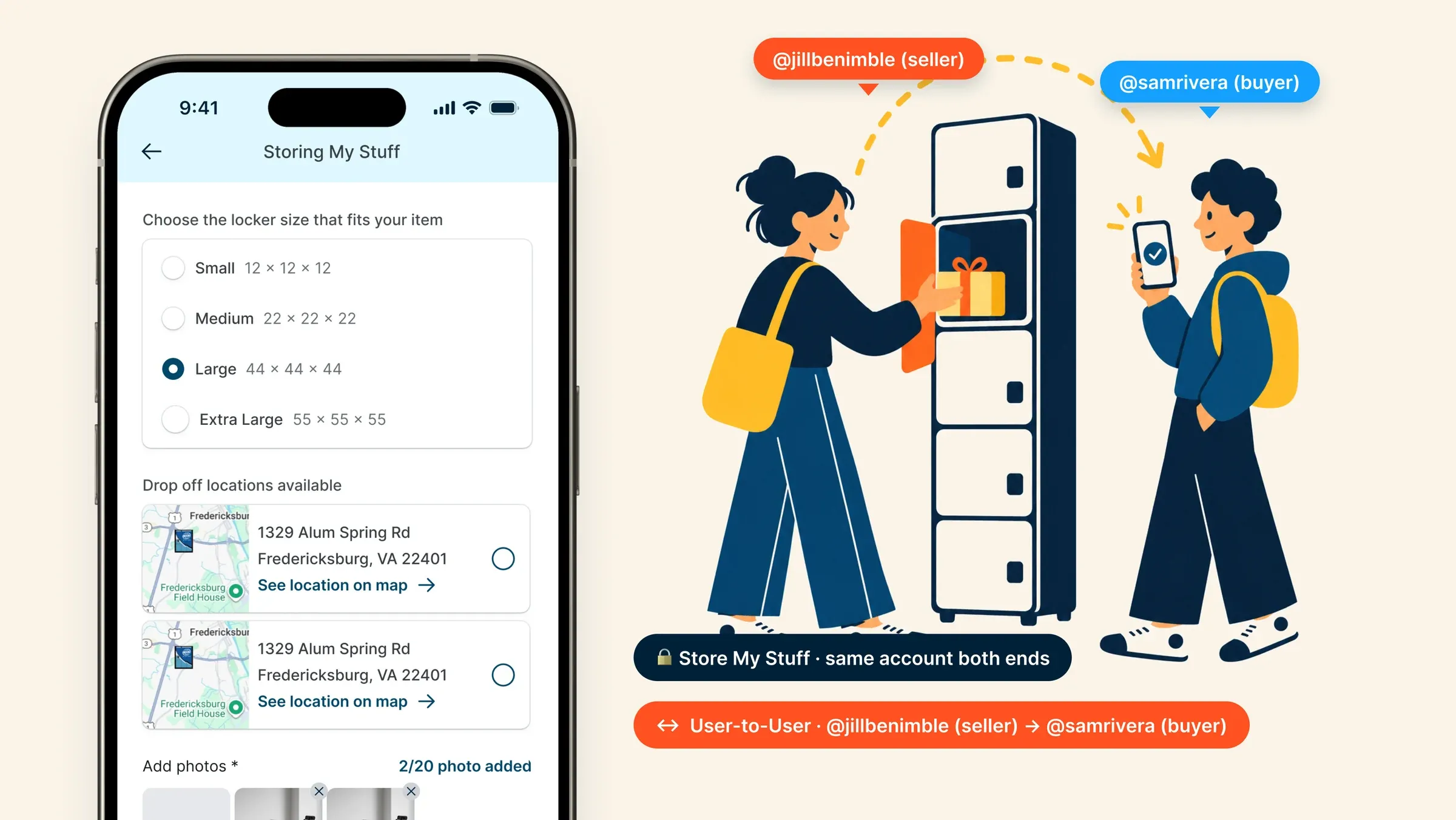
Drop-off and pickup at the Station
Locker availability by size shows up in real time, pulled straight from the locker network. Once a seller drops an item off, an access code generates automatically for the buyer. Closing the locker door fires a status update on its own, so the transaction moves from dropped off to ready for pickup without anyone entering that update by hand.
Refunds and claims that follow the seller’s policy
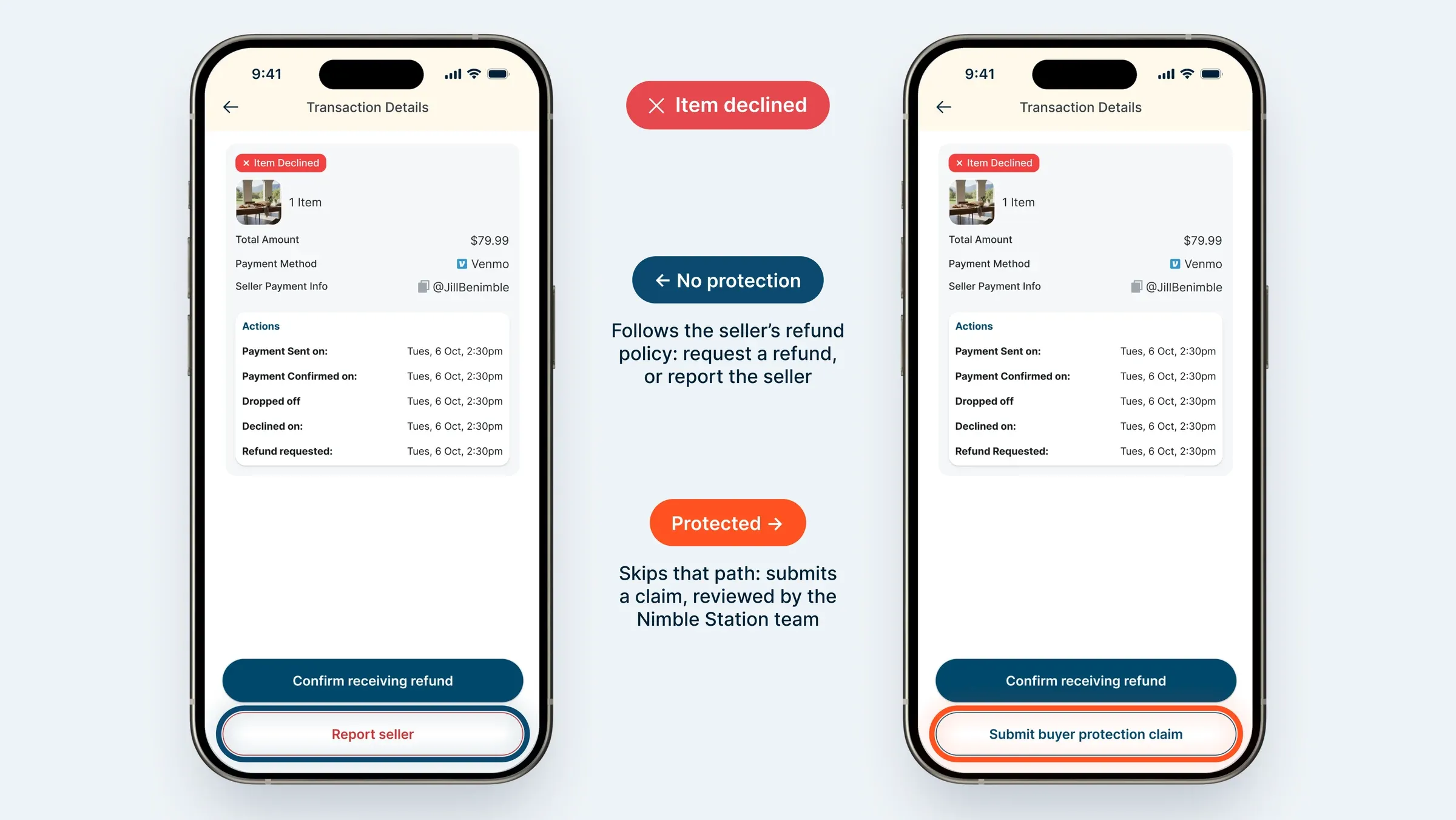
A buyer without Buyer Protection follows whatever refund policy the seller has set. Depending on that policy, they can request a refund directly or report the seller if a refund isn’t offered. A buyer with Buyer Protection skips that path and submits a claim instead, which routes to the Nimble Station team for review.
Store My Stuff and User-to-User
Some users open a locker for themselves, drop something in, and retrieve it later with the same account on both ends. Others use a locker to hand something off to a specific person without listing it for sale, useful for a simple exchange between two people who already know each other. Both flows run through the same Station infrastructure as a regular purchase.
An admin panel for running the network
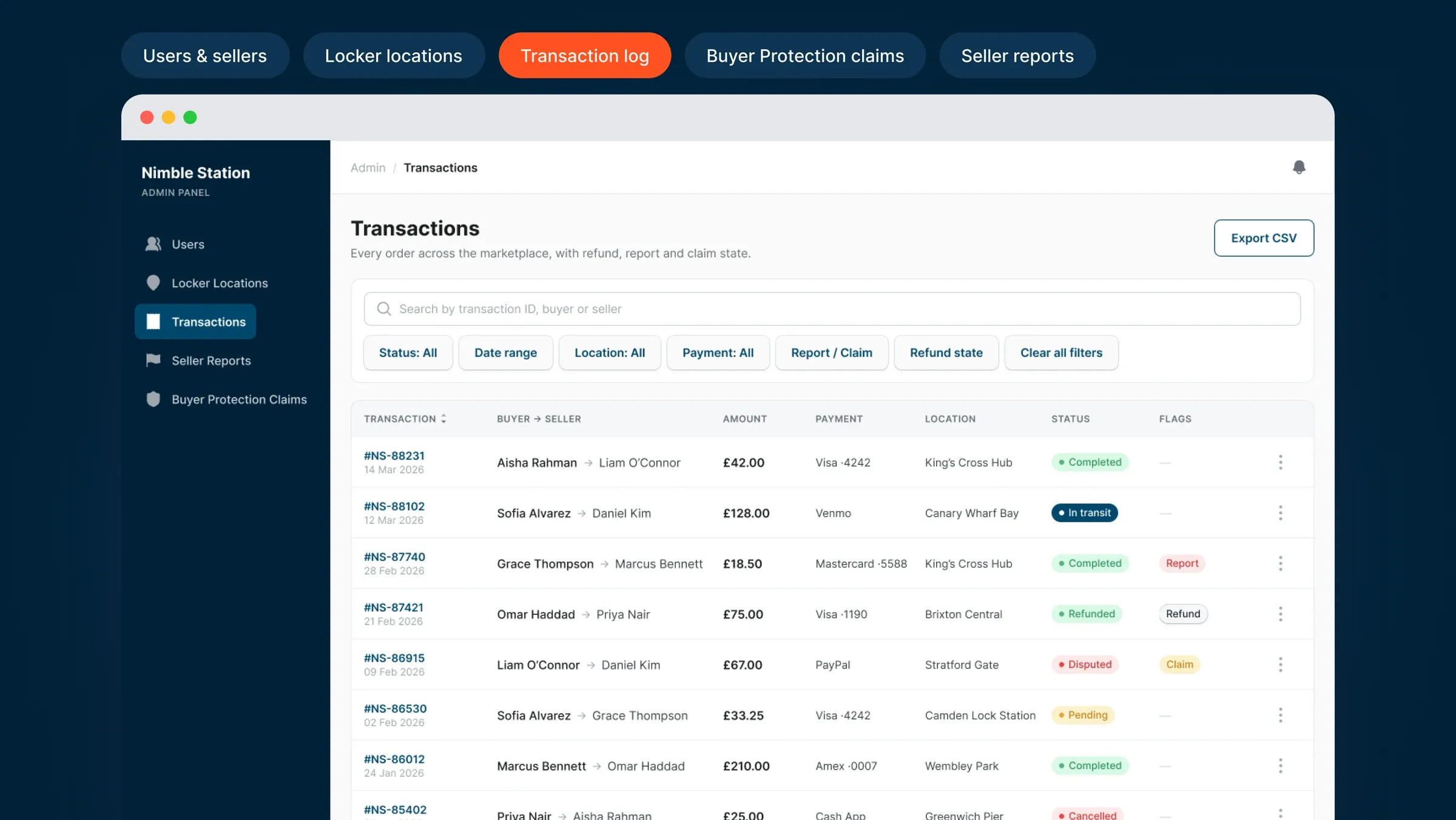
A web-based admin panel gives the Nimble Station team control over the marketplace. That includes managing users and sellers, tracking locker locations, reviewing the transaction log across every Station, and handling Buyer Protection claims and seller reports as they come in.
A brand built to be trusted at the locker
Nimble Station's identity leans on Navy Blue and Night Sky for depth and reliability, with Orange Red and Bright Yellow as the two motion lines that form the N — the handoff, drawn as a mark. Inter carries every screen and every locker display.
- Navy Blue#00476C
- Night Sky#002137
- Orange Red#FF5121
- Bright Yellow#FFC421
- Water Blue#DFF7FF
What we shipped for Nimble Station.
Nimble Station is live on iOS and Android, with its first Station running in Fredericksburg, Virginia. Flywheel handled strategy, design, and development for the app, then carried the project through store setup and launch, and continues working alongside the Nimble Station team as new feedback comes in.
The release covers the full transaction loop: listing and search, checkout with optional Buyer Protection, locker drop-off and pickup backed by live availability data, refunds and claims, Store My Stuff, User-to-User exchanges, and the admin panel that runs the whole network. More Stations are coming online next, extending the same locker infrastructure to new locations.
Booking Q1 2027 · 2 slots
Book a Free Call