


Building a Real-Time Flutter App for ML-Powered IoT Devices
By
Marco Restifo Pecorella
Published on:
Jan 9, 2026
Introduction
Imagine you’re holding a tiny device that can feel. It senses every movement — a shake, a tilt, a jump, the smallest vibration in the world around it. Now imagine you could teach this little device to understand what it feels. To recognise gestures, detect patterns, or even predict what might happen next. And then, imagine all those “thoughts” flying through the air, straight into an app you built yourself.
This is exactly what ML-Powered IoT is about: tiny computers, trained with machine learning, thinking on their own and talking to your smartphone.
But here’s the challenge:
How do we help these small but clever machines learn something useful — and then make an app that listens to them in real time?
That’s where our journey begins.
In this guide, we’ll show you how to go from raw sensor movements (accelerometer, gyroscope — the stuff that makes your phone know when you flip it) to a machine-learning model that recognises patterns, and finally to a Flutter app that receives these patterns instantly via Bluetooth and displays them for the world to see.
We won’t dive into every microscopic detail — because the goal isn’t to memorise code.
The goal is to understand the magic behind it:
How data becomes intelligence.
How intelligence becomes communication.
And how communication becomes a real-time app that feels alive in your hands.
So buckle up.
You’re about to build a bridge between a thinking device and a beautiful Flutter interface — and along the way, you’ll learn how to make your ideas move, think, and speak.
Choosing the Hardware
Before we teach anything to our smart little system, we must first choose the right “body” for our “brain.” In science, even the greatest ideas remain daydreams until we give them a physical form. So, let’s pick the perfect pair of helpers.
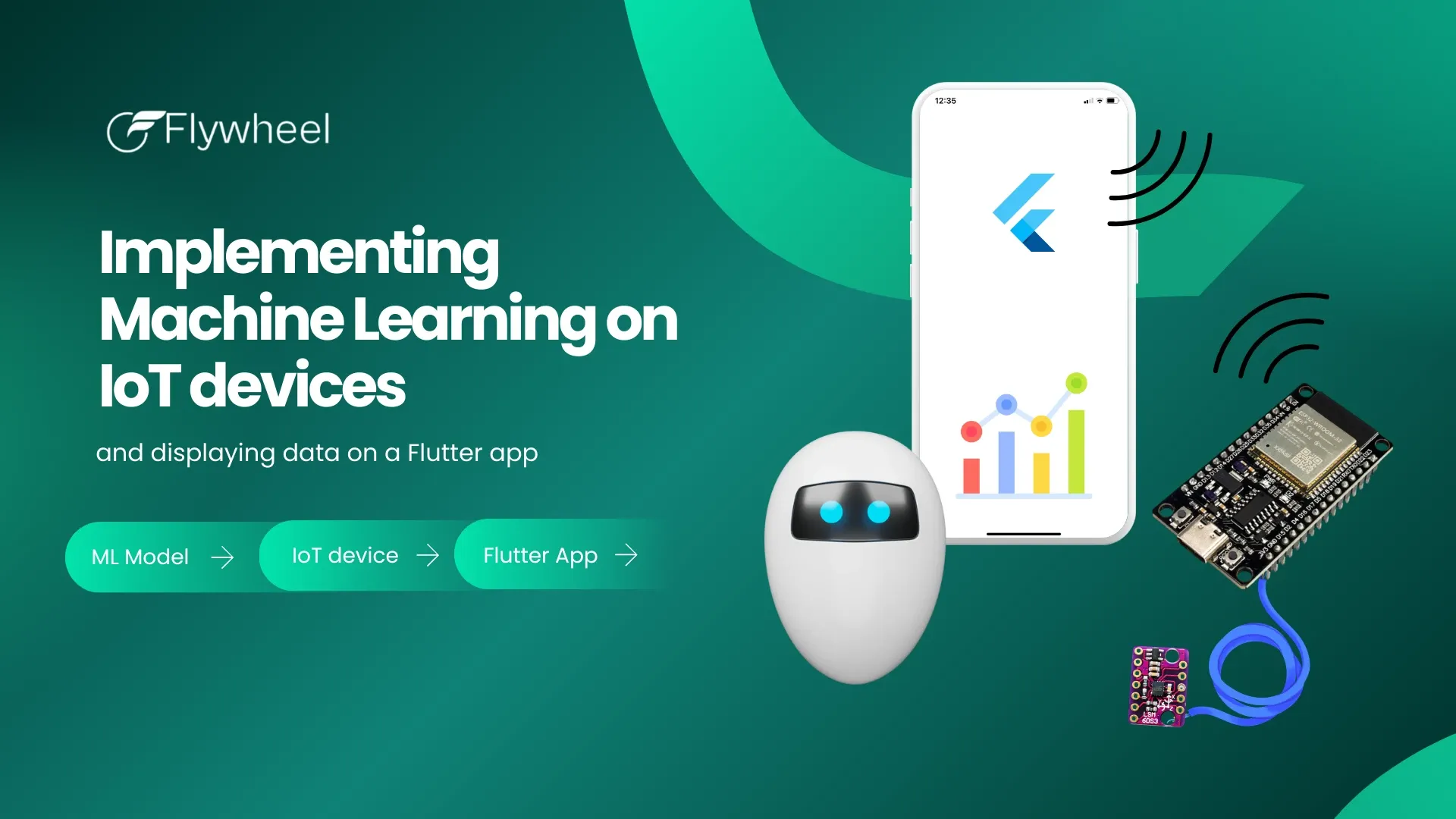
At the heart of our setup is the ESP32, a small but astonishingly capable microcontroller. Think of it as a tiny brain: it has Wi-Fi, Bluetooth, a decent processor, and enough flexibility to become almost anything you want — a sensor hub, a mini server, or in our case, the mind behind our movement-detecting device.
But a mind alone isn’t enough.
A mind needs senses.
That’s where the LSM6DS3 comes in — a 6-axis IMU (Inertial Measurement Unit). Sounds fancy, right? In simple words, it’s a chip that feels the world:
the accelerometer senses linear movement (like shaking or falling),
the gyroscope senses rotation (like turning your wrist).
Together, they let the device experience motion just like a human’s inner ear does.
Now, the magic happens when we combine these two:
The LSM6DS3 senses the motion, and the ESP32 collects the data, processes it, and can even send it to your phone via Bluetooth. With the right firmware, the board starts printing live streams of readings — coordinates, angles, vibrations — a continuous river of numbers describing what’s happening in the real world.
These numbers may look messy, like scribbles on a blackboard. But hidden inside them are patterns waiting to be discovered. Our mission is to teach the device to recognise these patterns through machine learning.
But first, we needed a brain (ESP32) and senses (LSM6DS3).
Now that we have both, we are ready to start learning.
2. Recording Movements & Training the ML Model
Now comes the most fascinating part of the journey — the moment where numbers begin to mean something.
Imagine trying to explain the concept of “waving hello” to a machine. You cannot use words. You cannot draw pictures. All you can do is show it examples, over and over again, and hope it starts to notice what stays the same and what changes.
This is exactly how machine learning works.
With our ESP32 and LSM6DS3 in place, the firmware’s job becomes simple but crucial: it continuously reads motion data and sends it out as a stream of values. Accelerometer readings, gyroscope readings — six numbers at a time, captured steadily at 50 times per second. To a human, this looks like noise. To a machine, it’s a story waiting to be told.
To record these stories, we use tools like Edge Impulse (or any statistical analysis software capable of handling time-series data). The idea is not to be clever yet — it is to be consistent. We perform a movement, record it for a few seconds, label it, and repeat. Again and again.
Why repetition matters is simple:
Machines do not understand intention — they understand patterns.
Each recorded movement becomes a small chapter in a dataset. Together, these chapters form a book that the model can learn from. By slicing the data into fixed time windows — in our case, two seconds — we give structure to something that would otherwise be chaotic.
Once enough examples are collected, the next step is interpretation. Raw motion data is transformed into features that describe how the movement behaves over time: how fast it changes, how strong it is, how rhythmically it repeats. This is where inferential statistics and signal processing quietly do their work, extracting meaning from motion.
On top of these features, a lightweight neural network is trained to answer a very simple question:
“Which movement does this look like?”
The result is not certainty — it’s probability. The model doesn’t say “this is hello.” It says “this looks like hello with 78% confidence.” And that is more than enough to build reliable, real-time experiences.
Once the model performs well enough, it can be exported and embedded directly into the ESP32. From that moment on, the device no longer just measures motion — it understands it.
3. Integrating the Model Into the Firmware (BLE + Inference)
At this point, our device has learned something remarkable. It can look at motion and say, with a certain confidence, “I recognise this.” But knowledge alone is not enough. Knowledge must be communicated.
This is where the firmware becomes the translator between understanding and action.
The process follows a simple rhythm. The ESP32 listens to the sensor, collecting motion data into a small time window — two seconds of lived experience. Once the window is full, the embedded machine-learning model runs its inference. In a fraction of a second, the device produces a result: not a paragraph, not a sentence, but a single, elegant number.
That number is the gesture.
Why a number? Because numbers are fast, reliable, and universal. Instead of sending complex data structures or raw sensor streams, the device sends a simple integer:
0 might mean “idle,”
1 might mean “hello,”
and more can be added later without changing the rules of the game.
This choice is deliberate. Machine learning has already done the hard thinking on the device. The job of communication is simply to report the conclusion.
To send this information to the outside world, we rely on Bluetooth Low Energy (BLE). BLE is perfect for this kind of conversation: short messages, low power consumption, and steady, continuous updates. By sending notifications roughly ten times per second, the system feels responsive without wasting energy or bandwidth.
Of course, the real world is messy. Connections drop. Devices move out of range. Batteries run low. That’s why the firmware is designed to be resilient. If the connection is lost, it quietly waits and reconnects. If nothing changes, it stays silent. The protocol remains lightweight, predictable, and calm — just as good engineering should be.
By the end of this step, the ESP32 has become more than a sensor. It is a self-contained observer: sensing, understanding, and speaking in a language that any app can easily understand.
And now, it’s time to listen.
4. Building the Real-Time Flutter App
If the ESP32 is the thinker and the messenger, the Flutter app is the storyteller. This is where invisible decisions turn into visible experiences — where a stream of numbers becomes something a human can instantly understand.
And the good news is this: by the time we reach the app, the hardest work is already done.
4.1 Rapid UI Iteration
When exploring new ideas, speed matters. Not the reckless kind, but the thoughtful kind — the kind that lets you try, observe, adjust, and improve. FlutterFlow allows us to prototype interfaces quickly, test them on real devices, and iterate without friction. Instead of worrying about layout constraints or boilerplate, we focus on the question that actually matters:
“What should the user see when a movement is detected?”
Using FlutterFlow, we can experiment with visual feedback, connection indicators, and interaction patterns, all while staying fully compatible with production-grade Flutter code.
4.2 The BLE Communication Layer
The app’s first responsibility is simply to listen.
It scans for nearby BLE devices, looking for our ESP32. Once found, it connects — calmly, reliably — and subscribes to a notification stream. From that moment on, the app receives a steady flow of tiny messages, each one representing the device’s current understanding of motion.
There is no flood of data, no raw sensor noise. Just a clean stream of meaningful signals, arriving several times per second. This simplicity is intentional. It makes the app easier to reason about, easier to debug, and easier to extend.
Scanning.
Connecting.
Subscribing.
Three steps — and suddenly, the physical world is talking to your app.
4.3 Data Mapping & Real-Time UI Updates
Inside the app, each incoming value is translated from machine language into human language. An integer becomes a word. A word becomes meaning.
A “0” might appear as Idle.
A “1” might become Hello.
This mapping layer is small, but powerful. It allows the UI to remain expressive while the communication protocol stays minimal. The app updates its state roughly every 100 milliseconds, creating the illusion of continuity — a living interface that reacts instantly to motion.
And importantly, the architecture is future-ready. Today, the app displays gestures. Tomorrow, it can log them, analyze them, visualize patterns over time, or feed them into dashboards and analytics platforms.
Because once data can flow, insight is only a design decision away.
With that, the circle is complete. A gesture begins in the physical world, is understood by a tiny machine, travels invisibly through the air, and comes alive on a Flutter interface.
That’s not just an app.
That’s a conversation between worlds.
5. Conclusion — Lessons Learned
If there is one idea that quietly guided every decision in this project, it is this: clarity comes from separation.
By letting each part of the system do one job well — sensing, learning, communicating, and displaying — the whole becomes easier to build, easier to understand, and far easier to evolve. The ESP32 focuses on the physical world. The machine-learning model focuses on interpretation. The Flutter app focuses on experience. None of them carry unnecessary weight, and each remains elegant in its simplicity.
This separation of concerns is not just good engineering practice — it is what makes real-time systems feel natural. When machine learning runs directly on a microcontroller, latency disappears, reliability improves, and the mobile app is freed from heavy computation. Flutter, in turn, can do what it does best: react, animate, and communicate with users in a fluid and expressive way.
Perhaps the most important lesson, though, is that this kind of system is no longer reserved for research labs or large teams. With modern tools, developers can move comfortably between hardware, machine learning, and mobile applications — exploring ideas that once felt out of reach.
So if you are a Flutter developer, a product manager, or simply someone curious about how intelligent devices come to life, consider this an invitation. Pick up a sensor. Teach it something small. Let it speak. Then build an app that listens.
Because when software begins to understand the physical world, entirely new experiences become possible.
Introduction
Imagine you’re holding a tiny device that can feel. It senses every movement — a shake, a tilt, a jump, the smallest vibration in the world around it. Now imagine you could teach this little device to understand what it feels. To recognise gestures, detect patterns, or even predict what might happen next. And then, imagine all those “thoughts” flying through the air, straight into an app you built yourself.
This is exactly what ML-Powered IoT is about: tiny computers, trained with machine learning, thinking on their own and talking to your smartphone.
But here’s the challenge:
How do we help these small but clever machines learn something useful — and then make an app that listens to them in real time?
That’s where our journey begins.
In this guide, we’ll show you how to go from raw sensor movements (accelerometer, gyroscope — the stuff that makes your phone know when you flip it) to a machine-learning model that recognises patterns, and finally to a Flutter app that receives these patterns instantly via Bluetooth and displays them for the world to see.
We won’t dive into every microscopic detail — because the goal isn’t to memorise code.
The goal is to understand the magic behind it:
How data becomes intelligence.
How intelligence becomes communication.
And how communication becomes a real-time app that feels alive in your hands.
So buckle up.
You’re about to build a bridge between a thinking device and a beautiful Flutter interface — and along the way, you’ll learn how to make your ideas move, think, and speak.
Choosing the Hardware
Before we teach anything to our smart little system, we must first choose the right “body” for our “brain.” In science, even the greatest ideas remain daydreams until we give them a physical form. So, let’s pick the perfect pair of helpers.
At the heart of our setup is the ESP32, a small but astonishingly capable microcontroller. Think of it as a tiny brain: it has Wi-Fi, Bluetooth, a decent processor, and enough flexibility to become almost anything you want — a sensor hub, a mini server, or in our case, the mind behind our movement-detecting device.
But a mind alone isn’t enough.
A mind needs senses.
That’s where the LSM6DS3 comes in — a 6-axis IMU (Inertial Measurement Unit). Sounds fancy, right? In simple words, it’s a chip that feels the world:
the accelerometer senses linear movement (like shaking or falling),
the gyroscope senses rotation (like turning your wrist).
Together, they let the device experience motion just like a human’s inner ear does.
Now, the magic happens when we combine these two:
The LSM6DS3 senses the motion, and the ESP32 collects the data, processes it, and can even send it to your phone via Bluetooth. With the right firmware, the board starts printing live streams of readings — coordinates, angles, vibrations — a continuous river of numbers describing what’s happening in the real world.
These numbers may look messy, like scribbles on a blackboard. But hidden inside them are patterns waiting to be discovered. Our mission is to teach the device to recognise these patterns through machine learning.
But first, we needed a brain (ESP32) and senses (LSM6DS3).
Now that we have both, we are ready to start learning.
2. Recording Movements & Training the ML Model
Now comes the most fascinating part of the journey — the moment where numbers begin to mean something.
Imagine trying to explain the concept of “waving hello” to a machine. You cannot use words. You cannot draw pictures. All you can do is show it examples, over and over again, and hope it starts to notice what stays the same and what changes.
This is exactly how machine learning works.
With our ESP32 and LSM6DS3 in place, the firmware’s job becomes simple but crucial: it continuously reads motion data and sends it out as a stream of values. Accelerometer readings, gyroscope readings — six numbers at a time, captured steadily at 50 times per second. To a human, this looks like noise. To a machine, it’s a story waiting to be told.
To record these stories, we use tools like Edge Impulse (or any statistical analysis software capable of handling time-series data). The idea is not to be clever yet — it is to be consistent. We perform a movement, record it for a few seconds, label it, and repeat. Again and again.
Why repetition matters is simple:
Machines do not understand intention — they understand patterns.
Each recorded movement becomes a small chapter in a dataset. Together, these chapters form a book that the model can learn from. By slicing the data into fixed time windows — in our case, two seconds — we give structure to something that would otherwise be chaotic.
Once enough examples are collected, the next step is interpretation. Raw motion data is transformed into features that describe how the movement behaves over time: how fast it changes, how strong it is, how rhythmically it repeats. This is where inferential statistics and signal processing quietly do their work, extracting meaning from motion.
On top of these features, a lightweight neural network is trained to answer a very simple question:
“Which movement does this look like?”
The result is not certainty — it’s probability. The model doesn’t say “this is hello.” It says “this looks like hello with 78% confidence.” And that is more than enough to build reliable, real-time experiences.
Once the model performs well enough, it can be exported and embedded directly into the ESP32. From that moment on, the device no longer just measures motion — it understands it.
3. Integrating the Model Into the Firmware (BLE + Inference)
At this point, our device has learned something remarkable. It can look at motion and say, with a certain confidence, “I recognise this.” But knowledge alone is not enough. Knowledge must be communicated.
This is where the firmware becomes the translator between understanding and action.
The process follows a simple rhythm. The ESP32 listens to the sensor, collecting motion data into a small time window — two seconds of lived experience. Once the window is full, the embedded machine-learning model runs its inference. In a fraction of a second, the device produces a result: not a paragraph, not a sentence, but a single, elegant number.
That number is the gesture.
Why a number? Because numbers are fast, reliable, and universal. Instead of sending complex data structures or raw sensor streams, the device sends a simple integer:
0 might mean “idle,”
1 might mean “hello,”
and more can be added later without changing the rules of the game.
This choice is deliberate. Machine learning has already done the hard thinking on the device. The job of communication is simply to report the conclusion.
To send this information to the outside world, we rely on Bluetooth Low Energy (BLE). BLE is perfect for this kind of conversation: short messages, low power consumption, and steady, continuous updates. By sending notifications roughly ten times per second, the system feels responsive without wasting energy or bandwidth.
Of course, the real world is messy. Connections drop. Devices move out of range. Batteries run low. That’s why the firmware is designed to be resilient. If the connection is lost, it quietly waits and reconnects. If nothing changes, it stays silent. The protocol remains lightweight, predictable, and calm — just as good engineering should be.
By the end of this step, the ESP32 has become more than a sensor. It is a self-contained observer: sensing, understanding, and speaking in a language that any app can easily understand.
And now, it’s time to listen.
4. Building the Real-Time Flutter App
If the ESP32 is the thinker and the messenger, the Flutter app is the storyteller. This is where invisible decisions turn into visible experiences — where a stream of numbers becomes something a human can instantly understand.
And the good news is this: by the time we reach the app, the hardest work is already done.
4.1 Rapid UI Iteration
When exploring new ideas, speed matters. Not the reckless kind, but the thoughtful kind — the kind that lets you try, observe, adjust, and improve. FlutterFlow allows us to prototype interfaces quickly, test them on real devices, and iterate without friction. Instead of worrying about layout constraints or boilerplate, we focus on the question that actually matters:
“What should the user see when a movement is detected?”
Using FlutterFlow, we can experiment with visual feedback, connection indicators, and interaction patterns, all while staying fully compatible with production-grade Flutter code.
4.2 The BLE Communication Layer
The app’s first responsibility is simply to listen.
It scans for nearby BLE devices, looking for our ESP32. Once found, it connects — calmly, reliably — and subscribes to a notification stream. From that moment on, the app receives a steady flow of tiny messages, each one representing the device’s current understanding of motion.
There is no flood of data, no raw sensor noise. Just a clean stream of meaningful signals, arriving several times per second. This simplicity is intentional. It makes the app easier to reason about, easier to debug, and easier to extend.
Scanning.
Connecting.
Subscribing.
Three steps — and suddenly, the physical world is talking to your app.
4.3 Data Mapping & Real-Time UI Updates
Inside the app, each incoming value is translated from machine language into human language. An integer becomes a word. A word becomes meaning.
A “0” might appear as Idle.
A “1” might become Hello.
This mapping layer is small, but powerful. It allows the UI to remain expressive while the communication protocol stays minimal. The app updates its state roughly every 100 milliseconds, creating the illusion of continuity — a living interface that reacts instantly to motion.
And importantly, the architecture is future-ready. Today, the app displays gestures. Tomorrow, it can log them, analyze them, visualize patterns over time, or feed them into dashboards and analytics platforms.
Because once data can flow, insight is only a design decision away.
With that, the circle is complete. A gesture begins in the physical world, is understood by a tiny machine, travels invisibly through the air, and comes alive on a Flutter interface.
That’s not just an app.
That’s a conversation between worlds.
5. Conclusion — Lessons Learned
If there is one idea that quietly guided every decision in this project, it is this: clarity comes from separation.
By letting each part of the system do one job well — sensing, learning, communicating, and displaying — the whole becomes easier to build, easier to understand, and far easier to evolve. The ESP32 focuses on the physical world. The machine-learning model focuses on interpretation. The Flutter app focuses on experience. None of them carry unnecessary weight, and each remains elegant in its simplicity.
This separation of concerns is not just good engineering practice — it is what makes real-time systems feel natural. When machine learning runs directly on a microcontroller, latency disappears, reliability improves, and the mobile app is freed from heavy computation. Flutter, in turn, can do what it does best: react, animate, and communicate with users in a fluid and expressive way.
Perhaps the most important lesson, though, is that this kind of system is no longer reserved for research labs or large teams. With modern tools, developers can move comfortably between hardware, machine learning, and mobile applications — exploring ideas that once felt out of reach.
So if you are a Flutter developer, a product manager, or simply someone curious about how intelligent devices come to life, consider this an invitation. Pick up a sensor. Teach it something small. Let it speak. Then build an app that listens.
Because when software begins to understand the physical world, entirely new experiences become possible.