Can You Pull External FlutterFlow Changes Back In? - Flywheel Studio
Flutterflow Expert
Flutterflow Expert

Can You Pull External FlutterFlow Changes Back In?
Can You Pull External FlutterFlow Changes Back In?

By

Ana Iashvili

Published on:

A common question we get at Flywheel from developers jumping into modern mobile development is about workflow flexibility. Specifically, folks want to know the reality of pulling external FlutterFlow changes back into the visual canvas. If you love writing code but want the speed of a visual builder, finding that harmony is key. Let's explore how this works today, and where the industry is heading.

The Current State of Pulling External FlutterFlow Changes

Right now, exporting your project out to a GitHub repository is an amazing feature, but it is fundamentally a one-way street. While we all love using robust IDEs like VSCode or the AI-powered Cursor, editing your UI layout in those environments means those layout tweaks won't magically sync back to the visual builder.

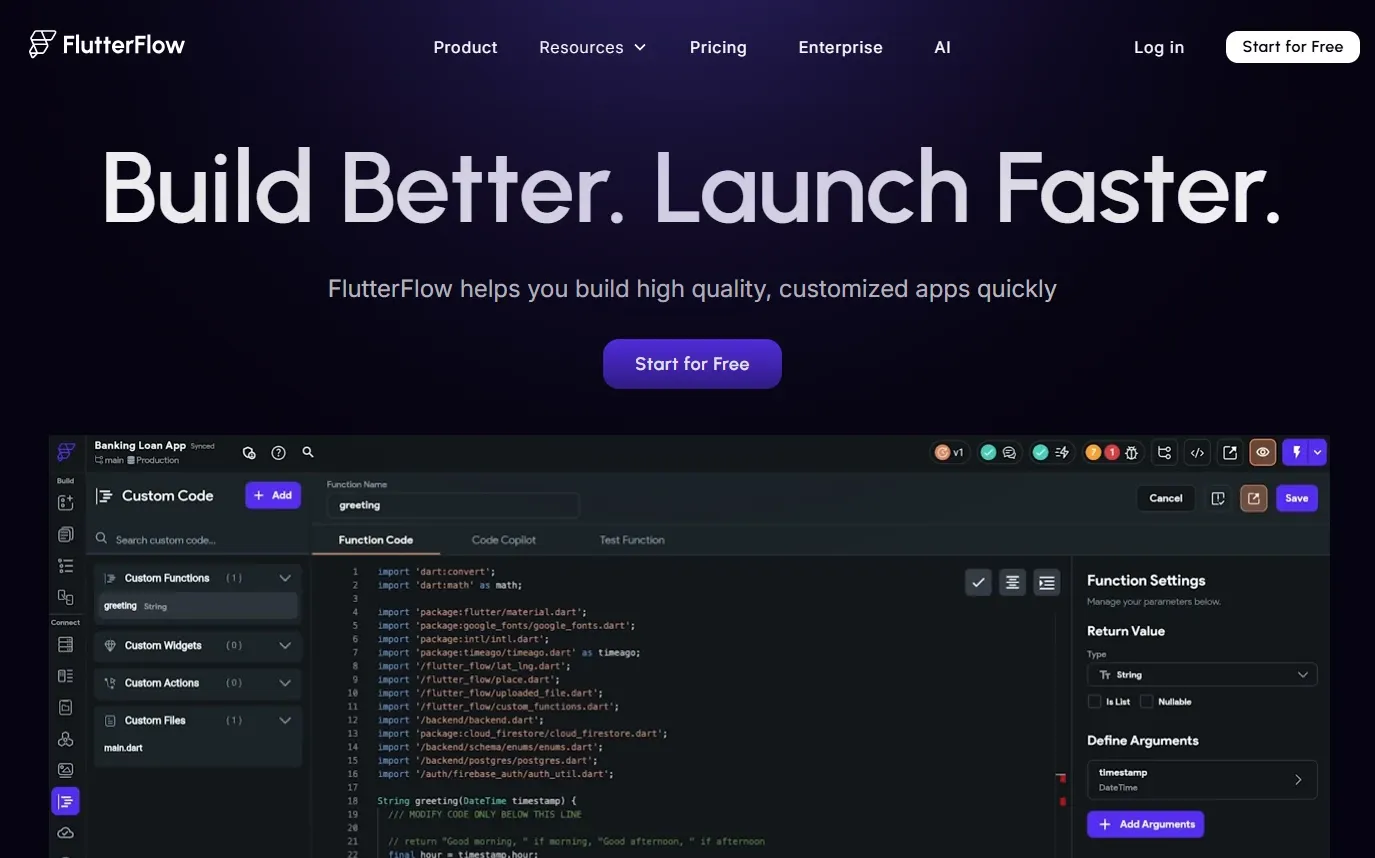
Currently, bringing outside logic in requires manually pasting your Dart code into the platform's Custom Functions, Custom Actions, or Custom Widgets panels. You can build powerful things this way, but you can’t simply code an entire screen in VSCode and expect the web canvas to instantly reflect your structural edits.

Google Antigravity and the Future of Mobile Development

But what if two-way syncing was entirely effortless? Let's talk about the hypothetical future with a concept like Google Antigravity.

Imagine a world where this kind of technology acts as an intelligent, bi-directional bridge. You could write a deeply complex, custom animation entirely in Cursor, and Google Antigravity would instantly parse that raw Dart code, reverse-engineering it right into a visual widget tree on your canvas. It would be the holy grail of mobile development, seamlessly blending the boundless power of a traditional IDE with the rapid iteration speed of visual building!

5 Ways I Manage External Code Today

Since we are waiting on that perfect two-way sync to become a reality, I have to be strategic. To make this article look a bit different and easier to scan, I've broken down my current workflow at Flywheel into a quick reference table: 

Strategy

How I Use It in My Workflow

Draft Locally

I always write and debug my complex Dart code in VSCode first. It’s much faster to catch syntax errors locally than inside a browser window.

Isolate Logic

I keep my external code strictly confined to Custom Actions or Functions so it never interferes with the core visual UI layout.

Strategic Branching

I utilize the GitHub integration by pushing visual updates to a main branch, letting my heavy external code live on a separate branch.

Custom Widgets

If a UI element is too wild for the visual builder, I code the entire component in Cursor and bring it in as a single, contained Custom Widget.

Clear Documentation

I leave extensive comments in my external code so that if I am reviewing it later in the web editor, I know exactly what it does at a glance.

Treat the visual builder as the ultimate source of truth for your UI, and your IDE as the workshop for your heavy logic.

SEO Details

  • Title: Can You Pull External FlutterFlow Changes Back In?

  • Meta Description: Wondering about two-way syncing in mobile development? Learn how to manage custom code and the reality of pulling external FlutterFlow changes back into your app.

  • Focus Keyphrase: pull external FlutterFlow changes

  • Links: Cursor, Antigravity, Github

A common question we get at Flywheel from developers jumping into modern mobile development is about workflow flexibility. Specifically, folks want to know the reality of pulling external FlutterFlow changes back into the visual canvas. If you love writing code but want the speed of a visual builder, finding that harmony is key. Let's explore how this works today, and where the industry is heading.

The Current State of Pulling External FlutterFlow Changes

Right now, exporting your project out to a GitHub repository is an amazing feature, but it is fundamentally a one-way street. While we all love using robust IDEs like VSCode or the AI-powered Cursor, editing your UI layout in those environments means those layout tweaks won't magically sync back to the visual builder.

Currently, bringing outside logic in requires manually pasting your Dart code into the platform's Custom Functions, Custom Actions, or Custom Widgets panels. You can build powerful things this way, but you can’t simply code an entire screen in VSCode and expect the web canvas to instantly reflect your structural edits.

Google Antigravity and the Future of Mobile Development

But what if two-way syncing was entirely effortless? Let's talk about the hypothetical future with a concept like Google Antigravity.

Imagine a world where this kind of technology acts as an intelligent, bi-directional bridge. You could write a deeply complex, custom animation entirely in Cursor, and Google Antigravity would instantly parse that raw Dart code, reverse-engineering it right into a visual widget tree on your canvas. It would be the holy grail of mobile development, seamlessly blending the boundless power of a traditional IDE with the rapid iteration speed of visual building!

5 Ways I Manage External Code Today

Since we are waiting on that perfect two-way sync to become a reality, I have to be strategic. To make this article look a bit different and easier to scan, I've broken down my current workflow at Flywheel into a quick reference table: 

Strategy

How I Use It in My Workflow

Draft Locally

I always write and debug my complex Dart code in VSCode first. It’s much faster to catch syntax errors locally than inside a browser window.

Isolate Logic

I keep my external code strictly confined to Custom Actions or Functions so it never interferes with the core visual UI layout.

Strategic Branching

I utilize the GitHub integration by pushing visual updates to a main branch, letting my heavy external code live on a separate branch.

Custom Widgets

If a UI element is too wild for the visual builder, I code the entire component in Cursor and bring it in as a single, contained Custom Widget.

Clear Documentation

I leave extensive comments in my external code so that if I am reviewing it later in the web editor, I know exactly what it does at a glance.

Treat the visual builder as the ultimate source of truth for your UI, and your IDE as the workshop for your heavy logic.

SEO Details

  • Title: Can You Pull External FlutterFlow Changes Back In?

  • Meta Description: Wondering about two-way syncing in mobile development? Learn how to manage custom code and the reality of pulling external FlutterFlow changes back into your app.

  • Focus Keyphrase: pull external FlutterFlow changes

  • Links: Cursor, Antigravity, Github

Related Articles

Book an introductory call

We'd love to hear about what you're working on…

© 2026 Flywheel

Book an introductory call

We'd love to hear about what you're working on…

Book an introductory call

We'd love to hear about what you're working on…

© 2026 Flywheel

Book an introductory call

We'd love to hear about what you're working on…

© 2026 Flywheel